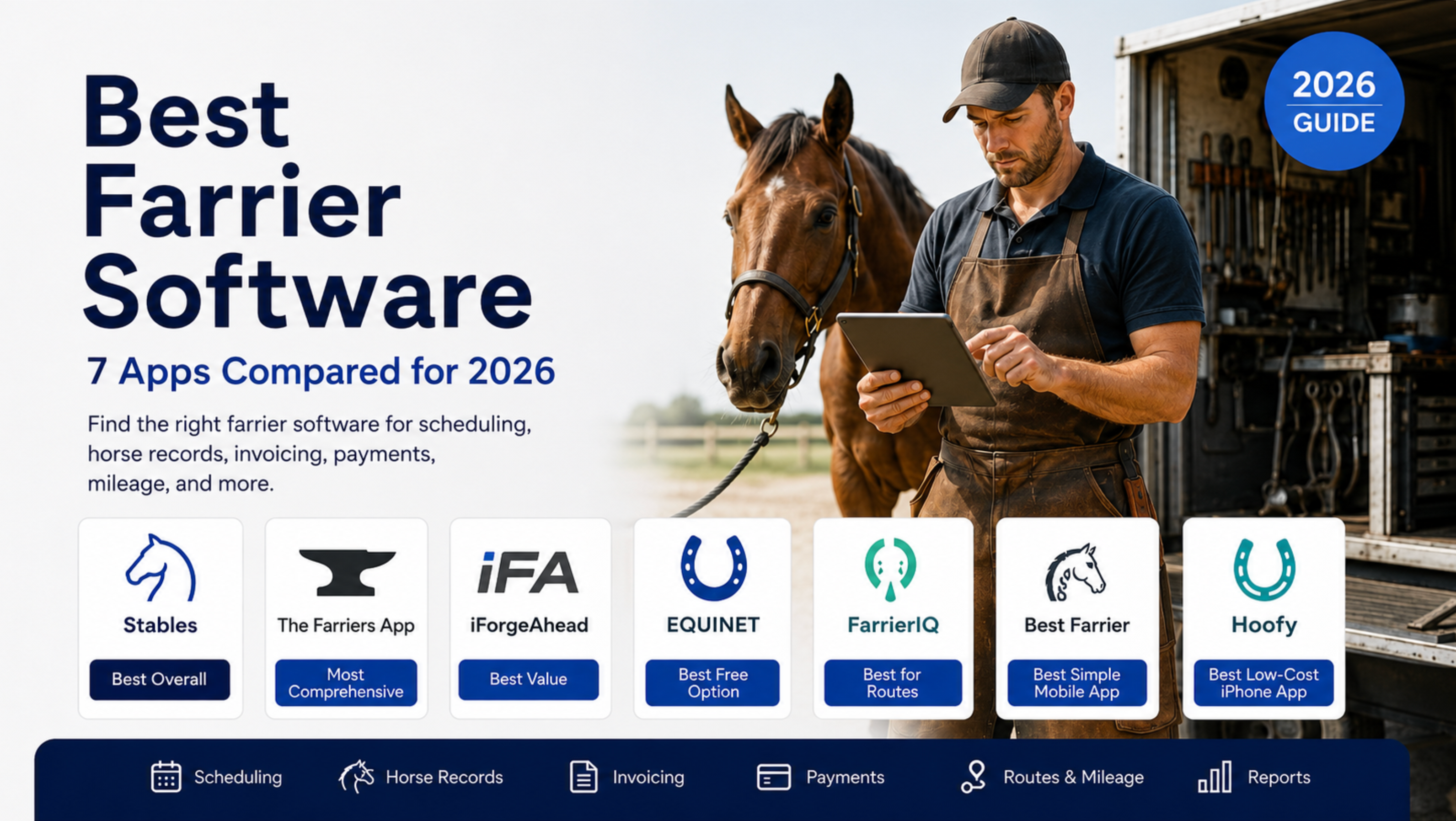
Best Farrier Software: 7 Apps Compared for 2026
Running a farrier business involves far more than trimming hooves and setting shoes.
Farriers have to manage recurring schedules, barn locations, horse records, owner contact information, service notes, invoices, payments, mileage, appointment reminders, and overdue balances - often while working from a truck or standing in a barn aisle.
The best farrier software brings those workflows together. Instead of relying on a phone calendar, text messages, notebooks, spreadsheets, and separate payment apps, a farrier can manage the work from appointment through payment in one system.
This guide compares seven of the best farrier software platforms available in 2026, including their strengths, limitations, pricing, and ideal users.
Best Farrier Software at a Glance
Our top farrier software selections for 2026 are:
Best Farrier Software (2026)
| Software | Best For | Published starting price | Standout strength |
|---|---|---|---|
| Stables | Farriers working with barns and horse owners | Free to start | Connected owner, horse, barn, service, invoice, and payment records |
| The Farriers App | Full business administration and teams | $59/month in the US | Comprehensive scheduling, records, reports, invoicing, and offline access |
| iForgeAhead | Affordable, established business management | $20/month | Scheduling, detailed records, mileage, expenses, and financial reporting |
| EQUINET | Free software and inventory management | Free | Unlimited horse records, product inventory, scheduling, and limited invoicing |
| FarrierIQ | Route optimization and advanced operations | Free; paid plans from $39/month | Routes, mileage, hoof measurements, invoicing, and AI features |
| Best Farrier | Straightforward mobile scheduling and invoicing | $30.99/month | Simple mobile interface and mostly offline operation |
| Hoofy | Solo farriers using an iPhone | $12.99/month | Low-cost native iPhone app with mileage and accounts-receivable tracking |
Pricing and features were checked against official vendor pages on August 2, 2026. Software companies may change their features, pricing, or plan limits after publication.
How We Evaluated Farrier Management Software
We evaluated each platform using the workflows that matter most to a working farrier:
- Appointment and recurring-cycle scheduling
- Client, barn, and horse records
- Hoof-care history, notes, and photos
- Farrier invoicing and payment tracking
- Mobile and offline usability
- Routes and mileage
- Appointment and payment reminders
- Multi-farrier team support
- Reporting and data exports
- Data ownership, backups, and permissions
- Connections between horse owners, facilities, and service providers
We did not assign artificial numerical scores or claim to have tested features we could only verify through public product documentation.
Disclosure: Stables publishes this guide and is included as the first option. We believe Stables is the strongest choice for farriers who want a connected workflow across barns, horses, owners, appointments, invoices, and payments. Farriers prioritizing offline access, mature route optimization, inventory management, or an iPhone-only experience may prefer another product in this comparison.
1. Stables: Best Overall for Farriers Working With Barns and Horse Owners
Stables is farrier software built within a broader equestrian operating system. It connects the farrier’s work with the horses, owners, boarding facilities, appointments, service records, invoices, and payments involved in that work.
That relationship model is its biggest differentiator.
Generic field-service software usually treats every appointment as a job assigned to one customer. Farrier work is more complicated. A barn manager may coordinate the visit, the horse owner may receive the invoice, the horse receives the service, and a trainer may need visibility into the result.
Stables is designed around those connected relationships.
Key Stables features
- Client and horse profiles
- Barn and facility relationships
- Trims, resets, shoeing appointments, and follow-up visits
- Recurring hoof-care schedules
- Appointments organized by owner, horse, or facility
- Horse-level service records
- Pricing by client or horse
- Invoices connected to completed services
- Card and bank-transfer payments
- Paid, unpaid, and overdue invoice tracking
- Recurring service charges
- Access for broader equine service provider workflows
A farrier can use Stables even when the barns they visit are not Stables customers. When a facility or owner does use the platform, however, the entire service relationship can remain connected rather than being recreated across several systems.
Stables is free for farriers to start using. There is no monthly seat fee to begin, although standard processing fees apply when clients pay online.
Where Stables works best
Stables is especially well suited to:
- Farriers who service boarding facilities
- Farriers who invoice multiple owners at one barn
- Multi-horse barn visits
- Farriers who want owners to pay online
- Service providers who need records tied to individual horses
- Farriers who want to operate inside a connected equestrian network
Its workflow also overlaps with broader digital horse health record keeping, allowing hoof-care work to remain part of the horse’s longer-term care history.
Stables limitations
Stables is still rolling out map-based route optimization. Appointments can currently be organized around barns, owners, and horses, but farriers seeking mature route sequencing today may prefer FarrierIQ or another route-focused product.
Farriers who only want a basic offline calendar and mileage tracker may also find a smaller native mobile app sufficient.
Best for: Farriers who want scheduling, records, billing, payments, and barn relationships connected in one platform.
2. The Farriers App: Best for Comprehensive Business Administration
The Farriers App is one of the more comprehensive purpose-built farrier management software options in this comparison.
It combines scheduling, customer records, horse histories, invoicing, payments, expenses, reports, reminders, and team access. The software works across devices and offers offline functionality for farriers working in areas with unreliable service.
Key features
- Daily and weekly scheduling
- Recurring appointments
- Horse records and service history
- Photos, X-rays, reports, and documents
- Barn and yard profiles
- Email and SMS appointment reminders
- Custom services
- Invoices and monthly statements
- Card and bank-payment options
- Purchase and expense tracking
- Financial reports
- Bookkeeper and office-user access
- Multiple users and truck calendars
- Offline operation
The US Pro plan is currently listed at $59 per month. Additional field users cost $25 per month, and annual subscribers receive the twelfth month free.
Where The Farriers App works best
This platform is a strong fit for established farrier businesses that need more than a scheduling app. Its purchasing, expense, reporting, VAT, and bookkeeper features make it closer to a complete administrative system.
It is also a reasonable option for multi-farrier businesses that need separate calendars and shared customer records.
The Farriers App limitations
The $59 monthly US price is higher than most solo-farrier products in this comparison.
Its FAQ also states that existing contacts cannot currently be imported, which could create additional setup work for an established farrier moving a large customer book into the platform.
Best for: Established farriers and small teams that want extensive administrative and reporting tools.
3. iForgeAhead: Best Affordable, Established Farrier Software
iForgeAhead is an established farrier business management platform that covers most of the core operational requirements at a relatively low monthly price.
Its records are organized around contacts, barns, horses, appointments, invoices, due dates, expenses, mileage, and reporting.
Key features
- Owner, stable, veterinarian, and supplier contacts
- Horse records with unlimited notes and photos
- Hoof specifications and service history
- Automatically updated horse due dates
- Recurring appointments
- Drag-and-drop scheduling
- Appointment reminders
- Invoices and receipts
- Expense and mileage tracking
- Accounts-receivable aging
- Income and business reports
- PDF and email exports
- Automatic daily backups
- Multiple users with configurable permissions
The standard plan costs $20 per month for one primary hoof-care professional. Its Multi-Farrier plan costs $35 per month. Optional text-message services cost $2.25 per month, while the offline iFA Remote App costs an additional $2 per month.
Where iForgeAhead works best
iForgeAhead provides a substantial feature set for the price. It is particularly useful for farriers who care about mileage, expenses, tax preparation, horse-due reports, and accounts-receivable aging.
It also supports multiple device types, including PCs, Macs, phones, and tablets.
iForgeAhead limitations
Offline functionality and text-message services are paid add-ons rather than standard features.
The public feature set emphasizes invoice creation and payment tracking more than integrated online card or ACH collection. Farriers who want clients to pay directly through every invoice should confirm the current payment workflow before switching.
Best for: Cost-conscious farriers who want established scheduling, reporting, recordkeeping, and bookkeeping tools.
4. EQUINET: Best Free Farrier Software and Inventory Manager
EQUINET is a farrier business app developed by Mustad Hoofcare. Its free Core plan is one of the strongest free farrier software offerings currently available.
The platform gives solo farriers unlimited horses, contacts, and horse entries, along with scheduling, inventory management, and up to 20 PDF invoices per month.
Key features
- Unlimited horses and contacts
- Horse-entry and service records
- Scheduling and personal reminders
- Shoeing-cycle reminders
- Product and supply inventory
- Low-stock notifications
- Shopping lists
- Custom products
- Limited or unlimited PDF invoicing, depending on plan
- Client appointment invitations
- Email and SMS reminders
- Client confirmations and declines
- Mobile, tablet, and web access
- Online and offline operation
- Team collaboration on higher plans
- Xero and QuickBooks connections
The Core plan is free. Premium costs $29 per month for one person and includes unlimited invoicing, client appointment invitations, confirmations, automated reminders, and onboarding assistance. The team plan starts at $69 per month for two people.
Where EQUINET works best
EQUINET is a compelling choice for a new farrier, apprentice, part-time farrier, or solo operator who needs to organize a book without immediately paying for software.
Its product inventory is also valuable for farriers who want to track shoes, nails, rasps, and other supplies—not just appointments and invoices.
EQUINET limitations
EQUINET’s official FAQ states that it does not currently create the next appointment automatically. A user can duplicate an appointment and then adjust the new date and time.
Farriers should also evaluate whether its invoice and accounting connections match the way they collect payments. The product supports its own invoice system as well as Xero and QuickBooks workflows, but its billing experience differs from platforms centered on integrated online payment collection.
Best for: Farriers seeking a free plan, inventory tracking, and optional team collaboration.
5. FarrierIQ: Best for Route Optimization and Advanced Operations
FarrierIQ is a modern farrier CRM and operations platform with a strong emphasis on routes, mileage, hoof measurements, scheduling, and advanced data tools.
Its free plan includes horse profiles, hoof measurements, route optimization, invoicing, and job scheduling for up to 15 horses.
Key features
- Horse profiles
- Hoof measurements
- Job scheduling
- Route optimization
- Invoicing
- Mileage tracking
- Veterinarian referrals
- Supply management
- AI-generated insights
- Client portal
- Custom protocols
- Team and multi-region plans
- API access on higher tiers
The free plan supports one user and up to 15 horses. Starter costs $39 per month for up to 75 horses and two team members. Pro costs $79 per month for up to 300 horses and five users. Enterprise costs $199 per month with unlimited horses and team members.
Where FarrierIQ works best
FarrierIQ is a strong option for farriers whose profitability depends heavily on efficient routing and mileage control.
It may also fit therapeutic or highly documented practices that want structured hoof measurements, custom protocols, veterinarian coordination, and more advanced horse-level data.
FarrierIQ limitations
The horse limits on its Free and Starter tiers may be restrictive for an established full-time farrier. Features such as supply management, AI insights, client portals, API access, and white labeling require the $79 Pro plan or higher.
Farriers should therefore compare the complete plan cost rather than evaluating the free version alone.
Best for: Route-heavy businesses and farriers who want advanced hoof records, mileage, and operational technology.
6. Best Farrier: Best Simple Mobile Scheduling and Invoice App
Best Farrier is a mobile-first scheduling and invoicing app designed by a farrier.
Its primary strength is simplicity. The interface is designed for small screens and minimal typing, allowing a farrier to create appointments, invoices, and records without navigating through a large business-management platform.
Key features
- Weekly color-coded schedule
- Client and horse records
- Horse service history
- Notes and photos
- Invoices
- Payment tracking
- Business reports
- Appointment reminders
- Expense and mileage records
- Sales-tax or VAT tracking
- Mostly offline operation
- Cloud backups
The platform currently costs $30.99 per month and includes a 30-day free trial. Customers who cancel can continue accessing existing information, but they cannot create or modify records without reactivating the subscription.
Most functions work without Wi-Fi or cellular service. Logging in, cloud backup, and photo uploads require a data connection.
Where Best Farrier works best
Best Farrier is suitable for solo farriers who want a conventional mobile farrier scheduling app without the broader workflows of a facility-management or team platform.
It covers the central requirements—schedule, horse history, invoicing, payments, reports, and mileage—without presenting itself as a large equestrian operating system.
Best Farrier limitations
Its public feature set is narrower than platforms offering route optimization, inventory management, connected owner portals, or complex facility relationships.
At $30.99 per month, it also costs more than iForgeAhead and Hoofy, so buyers should decide whether its specific mobile experience justifies the difference.
Best for: Solo farriers who value simplicity, offline access, and a focused mobile workflow.
7. Hoofy: Best Low-Cost Farrier App for iPhone
Hoofy is a native iPhone farrier app that connects scheduling, horse records, invoices, accounts receivable, mileage, and basic business analytics.
It is also the least expensive paid option in this comparison.
Key features
- Client records and balances
- Horse photos and service histories
- Safety flags
- Service intervals and due dates
- Scheduling and daily stops
- Route information
- Revenue estimates
- Invoices
- Accounts-receivable aging
- GPS-backed mileage
- Cash-flow and business dashboards
- Veterinarian profiles
- CSV exports
Hoofy costs $12.99 per month after a seven-day free trial. It is billed through Apple and is currently available for iPhone rather than Android or desktop.
Where Hoofy works best
Hoofy is well suited to an independent farrier who runs the business primarily from an iPhone.
Its combination of mileage, routes, invoices, overdue balances, and horse records covers a large portion of the solo-farrier workflow at a low monthly cost.
Hoofy limitations
Hoofy does not provide a desktop or Android version.
Its public documentation states that business records remain on the device rather than being stored on Hoofy’s own servers. That privacy-first architecture may appeal to an independent operator, but multi-user businesses should carefully evaluate device backup, recovery, team access, and synchronization requirements before relying on it as their primary database.
Best for: Solo farriers who use an iPhone and want low-cost scheduling, mileage, invoicing, and A/R tracking.
Which Farrier Software Is Best for Your Business?
There is no single platform that is best for every farrier.
The right choice depends on how your clients, horses, barns, routes, invoices, and records are organized.
Best for farriers working with boarding barns: Stables
Choose Stables when your work involves relationships between facilities, owners, trainers, horses, services, and payers.
It is particularly useful when a barn visit includes several horses belonging to different owners or when the facility and owner both need visibility into the service.
Best comprehensive administrative system: The Farriers App
Choose The Farriers App when you want scheduling, customer reports, payments, expenses, financial reporting, offline operation, and team access in one mature administrative platform.
Best low-cost established platform: iForgeAhead
Choose iForgeAhead when you need detailed horse records, recurring scheduling, mileage, expenses, aging reports, and backups without paying more than $20 to $35 per month.
Best free farrier management software: EQUINET
Choose EQUINET when you want to start free and need inventory management, unlimited horse records, scheduling, and limited monthly invoicing.
Best for route planning: FarrierIQ
Choose FarrierIQ when route optimization, mileage, hoof measurements, and advanced practice management are more important than connected barn and owner workflows.
Best straightforward mobile app: Best Farrier
Choose Best Farrier when you want a focused scheduling and invoicing app that works largely without an internet connection.
Best inexpensive iPhone app: Hoofy
Choose Hoofy when you work alone, use an iPhone, and want mileage, routes, invoices, accounts receivable, and horse records for $12.99 per month.
What to Look for in Farrier Software
Before selecting a farrier management platform, run a real appointment through the system - from scheduling through payment.
A feature list can look complete while still failing during daily use.
1. Farrier scheduling and recurring cycles
A useful farrier scheduling app should support:
- Recurring hoof-care cycles
- Barn-level visits
- Multiple horses per stop
- Appointment reminders
- Rescheduling
- Horse due dates
- Follow-up work
- Lost-shoe or emergency visits
- Mobile access
- Route or stop organization
The software should make it easy to understand which horses are due, which barns you are visiting, and what work is expected at each stop.
2. Horse-level service records
Farrier work is performed on a horse, not on a generic customer account.
The software should preserve:
- Trim and shoeing history
- Shoe types and sizes
- Hoof measurements
- Photos
- Notes
- Soundness or behavior concerns
- Veterinarian involvement
- Follow-up recommendations
- Next service date
This is where purpose-built farrier software differs from generic invoicing or calendar software.
3. Farrier CRM and client relationships
A farrier CRM should understand the relationship between the owner, horse, barn, trainer, and payer.
Ask whether the system can handle situations where:
- A barn schedules the visit but the owner pays
- One owner has horses at different facilities
- One barn visit includes several owners
- A trainer communicates on behalf of the owner
- A facility pays the farrier and rebills its boarders
- Different horses have different prices or service intervals
Generic sales CRMs are usually organized around prospects and pipelines. Farriers need clients, horses, barns, appointments, services, invoices, and payment histories.
For a wider view of how these relationships work across the industry, see our guide to equestrian management software.
4. Farrier billing and invoice software
Good farrier billing software should let you create the invoice while the work is still fresh.
Look for:
- Invoices tied to individual horses
- Multiple horses on one invoice
- Separate invoices for different owners
- Saved service prices
- Adjustments and custom services
- Card and bank-transfer payments
- Payment receipts
- Overdue invoice tracking
- Accounts-receivable aging
- Expense and mileage records
- Accounting exports
A completed service should not have to be manually reconstructed from a notebook at the end of the week.
Our equine billing software guide explains how invoicing, payment collection, records, and operational workflows should work together.
5. Mobile and offline access
A farrier app must function where the work happens.
Test whether you can:
- Open the day’s appointments quickly
- Find a horse record
- Add a note or photo
- update the completed service
- Create an invoice
- Record a payment
- See an overdue balance
- Work with poor or nonexistent cellular service
Offline support also creates data-management questions. Find out how offline changes are synchronized, what happens when two users edit the same record, and whether unsynchronized data can be recovered.
6. Routes and mileage
Travel time directly affects farrier profitability.
Farriers with geographically dispersed customers should evaluate:
- Stop sequencing
- Barn grouping
- Driving directions
- Route optimization
- Mileage capture
- Travel charges
- Route efficiency reports
- Exportable mileage records
A basic calendar may be enough for a compact local book. A farrier covering several counties may recover far more value from route optimization than from any other software feature.
7. Security, permissions, and data exports
Your software may hold customer contact details, horse records, payment information, invoices, and years of business history.
Before committing, ask:
- Can I export clients, horses, services, and invoices?
- Are backups automatic?
- Can deleted information be recovered?
- Are payment details handled by a reputable payment processor?
- Can employees be restricted from financial or administrative information?
- What happens to my records when I cancel?
- How does offline synchronization protect against lost changes?
- Can I remove a former employee’s access immediately?
- Is there an audit history showing who changed financial records?
A platform that saves time but traps your records or exposes them through weak permissions creates a different kind of business risk.
Farrier Software vs. QuickBooks
QuickBooks is accounting software. It is not a complete farrier management system.
QuickBooks can help record revenue, expenses, bank transactions, taxes, and financial statements. It generally does not manage the operational context behind the transaction:
- Which horse received the service
- Where the horse is boarded
- What hoof work was performed
- When the horse is due again
- What notes or photos were recorded
- Which barn visit the service belonged to
- Whether the next appointment was scheduled
Many farriers use purpose-built farrier software for scheduling, service records, invoicing, and client management, then send summarized financial information to QuickBooks or another accounting platform.
Final Verdict: What Is the Best Farrier Software in 2026?
Stables is our best overall selection for farriers who work with boarding facilities and want to connect owners, horses, barns, appointments, services, invoices, and payments.
It is also free for farriers to start, which makes it possible to test the workflow without committing to another monthly software expense.
That does not make it the best product for every use case.
- Choose The Farriers App for comprehensive administrative tools and teams.
- Choose iForgeAhead for affordable, established farrier business management.
- Choose EQUINET for inventory management and a strong free plan.
- Choose FarrierIQ for route optimization and advanced data tools.
- Choose Best Farrier for a straightforward mobile scheduling and invoice app.
- Choose Hoofy for an inexpensive iPhone-first workflow.
The best farrier software is ultimately the product that gets used consistently.
It should help you know where you are going, which horses you are seeing, what happened last time, what work needs to be completed, who needs to be invoiced, who has paid, and when each horse needs to be seen again.
When those records are connected, less work gets forgotten, fewer invoices are delayed, and less of the business depends on memory.
Explore Stables for farriers, review the platform’s broader features, or start using Stables with your active clients and horses.
Frequently Asked Questions About Farrier Software
What is the best farrier software?
Stables is the best overall farrier software for farriers who work with boarding barns and want scheduling, horse records, invoicing, online payments, and facility relationships in one connected platform. FarrierIQ may be a better option when route optimization is the primary need, while EQUINET provides one of the strongest free plans.
What is farrier management software?
Farrier management software helps farriers manage appointments, recurring hoof-care cycles, clients, barns, horses, service records, invoices, payments, reminders, mileage, and business reporting.
Is there free farrier software?
Yes. Stables is free for farriers to start, with standard processing fees applying to online payments. EQUINET offers a permanently free Core plan, while FarrierIQ offers a free plan limited to 15 horses.
What is the best farrier scheduling app?
The best farrier scheduling app depends on the workflow. Stables is best for schedules connected to owners, horses, barns, invoices, and payments. FarrierIQ is a strong route-focused option. Best Farrier and Hoofy provide simpler native mobile experiences.
Can farrier software send invoices?
Yes. Most modern farrier invoice software lets a farrier create and send invoices, record payments, track overdue balances, and preserve invoice history. Some platforms also support card or bank-transfer payments directly from the invoice.
Can farrier software track different horses at one barn?
Yes, but the quality of the workflow varies. Look for software that can organize a barn visit while preserving separate horse records, service details, owners, prices, and billing contacts.
Can farrier software function as a CRM?
Yes. A farrier CRM manages client contact information, horses, barns, service history, appointments, invoices, payments, and follow-ups. Unlike a generic sales CRM, it should organize relationships around equine services rather than sales opportunities.
How much does farrier software cost?
The products in this comparison range from free to approximately $59 per month for common solo or small-business plans. Team and enterprise plans can cost more. Payment processing, text messages, offline apps, additional users, and advanced features may carry separate fees.
Does farrier software work without internet access?
Several products offer some form of offline access, including The Farriers App, iForgeAhead through its optional Remote App, EQUINET, Best Farrier, and Hoofy. Offline capabilities differ, so verify which functions work without service and how changes are backed up or synchronized.
Is QuickBooks enough for a farrier business?
QuickBooks can handle accounting, but it is not designed to manage recurring farrier appointments, horse histories, hoof notes, barn routes, service photos, or horse-specific follow-ups. Many farriers use farrier management software for operations and QuickBooks for accounting.