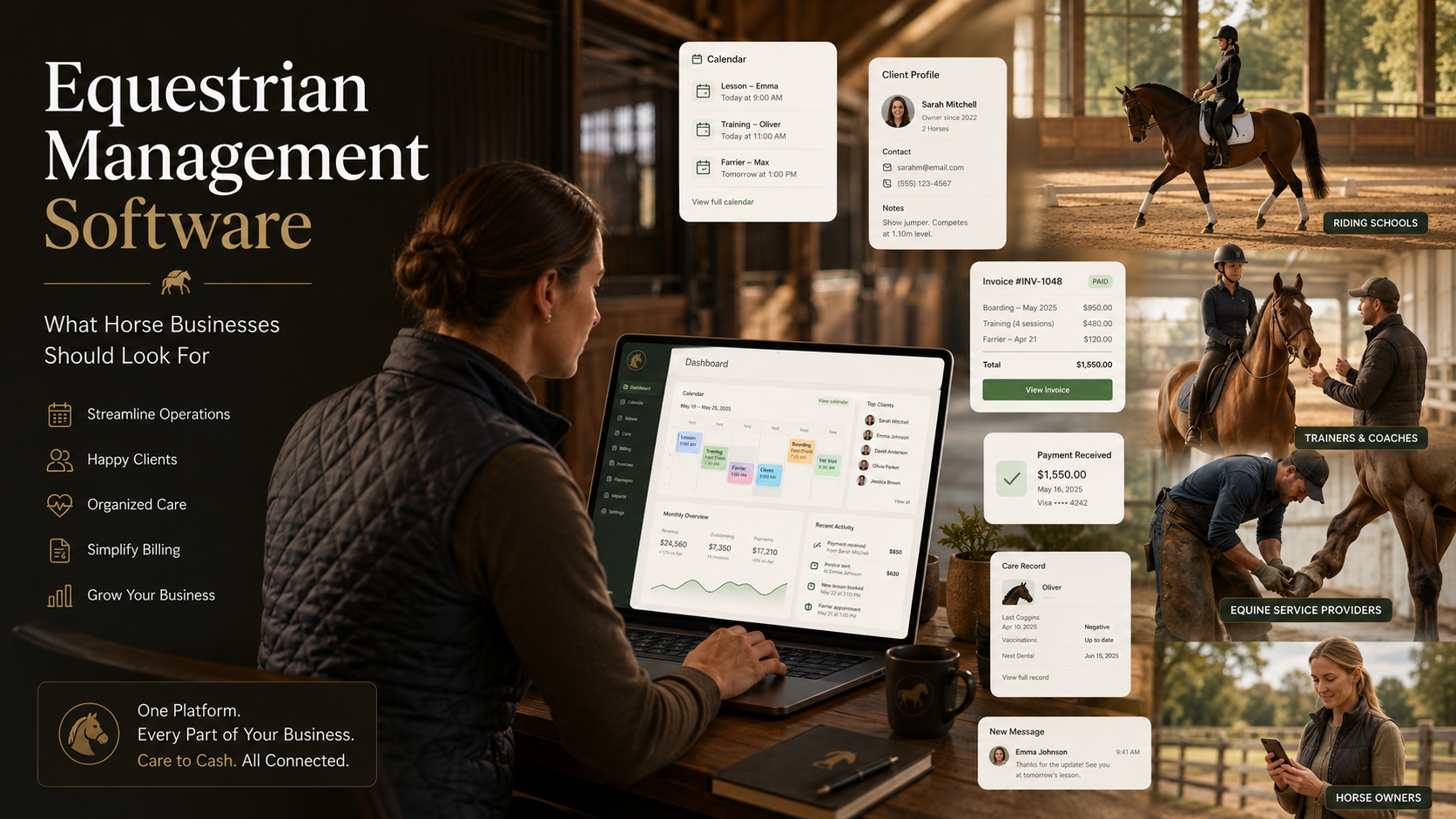
Equestrian Management Software: What Horse Businesses Should Look For
Equestrian management software has become essential for horse businesses that need more than basic horse records. Boarding barns, riding schools, trainers, coaches, and equine service providers all have to manage schedules, clients, horses, billing, payments, communication, documents, and daily operations.
The challenge is that many equestrian businesses still rely on disconnected systems. A boarding barn might use spreadsheets for board billing, a whiteboard for feed changes, paper contracts for agreements, Venmo or Zelle for payments, and group texts for owner communication. A trainer might use one app for scheduling, another for invoices, and a notebook to track packages or lesson credits. A farrier, bodyworker, or hauling provider may manage appointments through texts and then chase payments manually after the work is complete.
Those workflows may work for a small operation, but they become harder to manage as the business grows. Details get missed. Invoices go out late. Clients forget to pay. Staff and service providers lack visibility. Owners ask for updates because they cannot see what happened.
The best equestrian management software helps solve this by connecting daily operations to billing, payments, scheduling, client management, and communication in one system. For modern horse businesses, the goal is not just to organize records. The goal is to create a clearer workflow from care to cash.
What Is Equestrian Management Software?
Equestrian management software is a digital platform that helps horse businesses manage the operational, financial, and client-facing work involved in running an equine business.
Depending on the business type, this may include:
- Horse profiles and care records
- Stall assignments and boarding status
- Recurring board billing
- Lesson and appointment scheduling
- Training sessions
- Packages and credits
- Client and owner communication
- Invoices and online payments
- Autopay
- Documents and agreements
- Staff tasks and daily operations
- Equine service provider coordination
- Reporting and financial visibility
The term is broad. A boarding facility, riding school, trainer, and farrier may all search for equestrian management software, but they do not all need the same workflow.
That is why choosing the right platform starts with understanding what kind of horse business you operate.
What Counts as Equestrian Management Software?
Equestrian management software is a broad category of tools for horse businesses, including boarding barns, riding schools, trainers, coaches, and equine service providers. Some platforms focus on facility management, some on horse records, some on scheduling, and others on billing and payments. The right choice depends on whether your business needs to manage stalls, lessons, appointments, care records, invoices, packages, owner communication, or service provider workflows. For most horse businesses, that means connecting:
care, scheduling, billing, payments, client management, and communication.
Why Horse Businesses Need Better Software
Horse businesses are operationally complex.
A boarding barn may manage dozens of horses owned by different clients, each with different board plans, care requirements, special requests, payment methods, and communication preferences.
A riding school may need to manage lesson schedules, rider levels, instructor availability, arena capacity, packages, waivers, and payments.
A trainer or coach may handle private lessons, clinics, show schedules, horse training programs, client communication, and monthly billing.
A farrier, bodyworker, or other equine service provider may travel between barns, schedule recurring appointments, track completed work, invoice clients, and collect payment after each visit.
Without a connected system, the business often ends up running on a patchwork of tools:
- Text messages
- Spreadsheets
- Whiteboards
- Paper notes
- PDF agreements
- Payment apps
- Separate calendars
- Manual invoices
- QuickBooks alone
- Memory
That patchwork creates real business problems.
Billable work can be completed but never invoiced. Clients may pay late because there is no simple online payment flow. Owners may ask repeated questions because they cannot see care updates or billing history. Staff may not know what has been completed. Managers may spend hours reconstructing what happened at the end of the month.
Modern equestrian management software should reduce that friction.
The Most Important Features to Look For
Not every platform is built for every type of horse business. A boarding barn needs different tools than a riding school. A farrier needs a different workflow than a facility manager.
Still, there are several core features most equestrian businesses should evaluate.
1. Billing and Invoicing
Billing is one of the most important features in equestrian management software because it directly affects cash flow.
Horse businesses often bill for recurring services, one-time services, packages, and add-ons. If billing is disconnected from scheduling or care records, charges are easy to miss.
Look for software that supports:
- One-time invoices
- Recurring invoices
- Monthly board billing
- Lesson packages
- Training packages
- Service charges
- Add-on care charges
- Draft invoices
- Invoice history
- Payment status tracking
- Overdue invoice visibility
For boarding barns, billing should support monthly board, partial-month charges, add-on care, deposits, and owner-level balances.
For a deeper breakdown, read our guide on how to automate horse boarding invoices.
For trainers and coaches, billing should support lessons, training rides, clinics, show fees, packages, credits, and recurring client charges.
For service providers, billing should make it easy to invoice after an appointment is completed.
The best software does not treat billing as a separate administrative task. It connects billing to the work being done.
2. Payments and Autopay
Invoices only solve part of the problem. Horse businesses also need a simple way to collect.
Good equestrian management software should support online payments so clients can pay without mailing a check, sending a separate app payment, or waiting for manual instructions.
Look for:
- ACH payments
- Card payments
- Saved payment methods
- Autopay
- Payment receipts
- Failed payment handling
- Overdue payment tracking
- Owner or client payment portals
- Payment history
Autopay is especially important for recurring revenue businesses like boarding barns and training programs. If board or monthly training fees are due every month, the software should make it easy for clients to enroll in autopay and reduce manual collection work.
For Stables, this is a core part of the care-to-cash workflow. The goal is to help horse businesses move from work completed to invoice created to payment collected with less manual follow-up.
3. Scheduling and Calendar Management
Scheduling is central to most equestrian businesses.
A riding school needs to manage lesson slots, instructors, riders, arenas, cancellations, and makeups.
A trainer or coach needs to track private lessons, training rides, clinics, show schedules, and client availability.
A boarding barn needs to coordinate farrier visits, vet appointments, daily care tasks, feeding schedules, facility events, staff assignments, and owner-facing events.
A service provider needs to manage appointments across barns and clients.
Look for software that supports:
- Calendar views
- Appointment scheduling
- Lesson scheduling
- Recurring appointments
- Staff or instructor assignment
- Horse assignment
- Client assignment
- Event visibility settings
- Appointment reminders
- Google Calendar sync
- Mobile-friendly scheduling
For service providers, scheduling and billing should be connected. When an appointment is marked complete, the provider should be able to create an invoice, use a package credit, or add the charge to the next invoice.
For facilities, scheduling should support both operational events and client-visible events. Not every event should be visible to every owner. The software should make it clear who can see the event, which horses or clients are included, and whether staff visibility is needed.
4. Client and Owner Management
Equestrian businesses are relationship-driven. The software should help manage those relationships clearly.
For boarding barns, this means horse owners, emergency contacts, billing contacts, horses, agreements, balances, and communication history.
For riding schools, this may include riders, guardians, horses, lesson levels, packages, payment status, and waivers.
For trainers and coaches, this includes clients, horses in training, lesson clients, show clients, billing relationships, and service history.
For service providers, this includes clients, barns, horses served, appointment history, invoice history, and payment status.
Look for:
- Client profiles
- Owner profiles
- Horse relationships
- Multiple owners per horse
- Guardian or family billing relationships
- Client notes
- Service history
- Billing history
- Documents and waivers
- Communication records
- Owner or client portals
The best systems understand that the horse, owner, facility, trainer, and service provider are connected. They should not force every relationship into a generic contact list.
5. Owner and Client Communication
Communication is one of the biggest hidden costs in a horse business.
Owners want updates. Riders need reminders. Clients ask about invoices. Staff need instructions. Trainers and providers coordinate appointments. Barns send announcements, policy updates, and event notices.
If communication happens only through texts, group chats, and verbal reminders, details get lost.
Look for software that supports:
- Owner portals
- Client portals
- In-app messages
- Email notifications
- Appointment reminders
- Invoice notifications
- Care updates
- Document notifications
- Facility announcements
- Staff communication
- Group communication where appropriate
For boarding barns, owner visibility is a major trust builder. Horse owners should be able to see invoices, payments, care history, documents, appointments, and relevant facility updates without having to text the barn for every detail.
For Stables, owner communication is not just a messaging feature. It is part of the broader care-to-cash system. When owners can see care history, invoices, balances, and documents in one place, communication becomes clearer and the facility spends less time repeating information.
6. Care Tracking and Daily Operations
Care tracking is one of the biggest differences between generic business software and true equestrian management software.
Horse businesses need to track real-world care activity, not just contacts and invoices.
For boarding barns, this may include:
- Feeding
- Medication
- Blanketing
- Turnout
- Grooming
- Supplements
- Wound care
- Stall changes
- Special owner requests
- Staff task completion
For equine trainers and coaches, this may include:
- Training rides
- Lessons
- Exercise plans
- Show prep
- Horse progress notes
- Rider progress notes
For service providers, this may include:
- Completed appointments
- Service notes
- Follow-up recommendations
- Photos
- Horse-specific service history
The most valuable systems connect care tracking to business workflows.
If a staff member completes a billable care task, the system should make it easy to create a charge. If a trainer completes a session, the system should know whether to invoice the client or use a package credit. If a farrier completes a visit, the provider should be able to bill the correct owner or facility.
This is where care-to-cash becomes important.
7. Care-to-Cash Workflows
Care-to-cash is the connection between the work performed in a horse business and the billing and payment workflows that follow.
In many equestrian businesses, those steps are disconnected.
A horse receives medication twice a day, but the charge is written down somewhere else. A trainer adds a session, but billing happens later. A horse gets blanketed during a cold week, but nobody remembers to add the fee. A provider completes an appointment, then sends a payment request days later.
Care-to-cash software closes that gap.
A strong care-to-cash workflow should help a business:
- Track the care or service
- Mark it complete
- Attribute it to the right horse, client, staff member, or provider
- Decide whether it is billable
- Create a draft invoice, send an invoice, use a package credit, or add it to the next invoice
- Notify the owner or client where appropriate
- Collect payment
- Keep the record for future visibility
This is one of the most important trends in equestrian management software. The best platforms are no longer just digital filing cabinets. They help connect daily operations to revenue.
8. Stall and Facility Management
For boarding barns and riding stables, stall management is a core operational and financial workflow.
Stalls are not just physical spaces. They represent capacity, revenue, and availability.
Good barn management software should help facilities manage:
- Stall assignments
- Boarding status
- Move-in dates
- Move-out dates
- Stall availability
- Occupancy
- Waitlists
- Board plans
- Revenue per stall
- Facility capacity
For boarding facilities, stall management should connect to billing. If a horse moves in, moves out, changes board type, or switches stalls, the software should make it easier to keep billing accurate.
A barn that tracks stalls in one spreadsheet and billing in another system will always have more room for error.
9. Documents, Waivers, and Agreements
Horse businesses rely on documents.
Common documents include:
- Boarding agreements
- Liability waivers
- Training agreements
- Lesson waivers
- Facility rules
- Emergency contact forms
- Lease agreements
- Service agreements
- Payment authorizations
- Care instructions
- Policy updates
Equestrian management software should make it easy to store, send, sign, and retrieve documents.
Look for:
- Document storage
- E-signature support
- Signed agreement history
- Audit trails
- Owner or client access
- Horse-specific documents
- Expiration tracking
- Secure storage
For boarding barns, agreements and billing are connected. A facility should know which owner has signed the boarding agreement, what services are authorized, what payment terms apply, and whether the owner has a balance.
For riding schools and trainers, waivers and service agreements help reduce administrative risk and keep the client onboarding process organized.
10. Reporting and Business Visibility
Equestrian businesses need more than operational task lists. They need visibility into the business.
Look for reporting that helps answer questions like:
- Who owes money?
- Which invoices are overdue?
- How much board is expected this month?
- Which add-on services are being billed?
- How many stalls are occupied?
- Which horses require upcoming care?
- Which clients use packages or credits?
- Which services generate the most revenue?
- How much revenue is connected to a facility, trainer, coach, or provider?
The best equestrian management software should make business visibility easier, not harder.
For Stables, this is part of the broader operating system approach. The platform is designed to connect facility operations, billing, payments, owner communication, and reporting so operators can see what is happening across the business.
11. Mobile Access
Horse businesses do not operate entirely from a desk.
Staff are in the barn. Trainers are in the arena. Coaches are at lessons. Farriers and bodyworkers are on the road. Facility owners may be checking payments from a phone.
That makes mobile usability critical.
Evaluate whether the software works well for:
- Completing care tasks from the barn aisle
- Viewing appointments from a phone
- Sending invoices from the field
- Checking owner or client notes
- Uploading photos
- Reviewing payment status
- Communicating with clients
- Accessing documents
A platform does not necessarily need a native mobile app if the mobile web experience is strong. What matters is whether the system is fast, clear, and usable in the real working environment.
What Different Horse Businesses Should Prioritize
The right equestrian management software depends on the type of business.
Boarding Barns
Boarding facilities should prioritize:
- Stall management
- Recurring board billing
- Add-on charge capture
- Owner portals
- Care tracking
- Staff task management
- Online payments
- Autopay
- Security deposit tracking
- Documents and agreements
- Owner communication
- Reporting
The key question for boarding barns:
Can the software connect stalls, care, billing, payments, and owner visibility in one workflow?
Riding Schools
Riding schools should prioritize:
- Lesson scheduling
- Instructor calendars
- Rider profiles
- Guardian relationships
- Waivers
- Lesson packages
- Attendance tracking
- Payment collection
- Make-up lesson handling
- Client reminders
- Arena or resource scheduling
The key question for riding schools:
Can the software manage riders, instructors, lessons, packages, waivers, and payments without creating more admin work?
Trainers and Coaches
Trainers and coaches should prioritize:
- Appointment scheduling
- Training sessions
- Client and horse profiles
- Packages and credits
- Show or clinic scheduling
- Progress notes
- Invoicing
- Online payments
- Client communication
- Calendar sync
The key question for trainers and coaches:
Can the software connect completed lessons or training sessions to billing, package credits, and client communication?
Service Providers
Equine service providers should prioritize:
- Client management
- Appointment scheduling
- Horse profiles
- Barn locations
- Service notes
- Recurring appointments
- Invoicing
- Payment collection
- Packages or prepaid credits
- Follow-up reminders
This includes farriers, bodyworkers, haulers, dentists, saddle fitters, and other equine professionals.
The key question for service providers:
Can the software make it easy to schedule work, complete the service, invoice the right client, and collect payment?
Why Generic Software Usually Falls Short
Some horse businesses try to run operations with general-purpose tools like spreadsheets, Google Calendar, QuickBooks, payment apps, and text messages.
Those tools can be useful, but they are not built around equestrian workflows.
A spreadsheet does not know that a horse changed stalls.
A payment app does not know which invoice or care task a payment belongs to.
A calendar does not know whether a lesson used a package credit.
QuickBooks may track invoices, but it does not manage horse care, stall assignments, owner communication, or daily barn operations by itself.
A group text may be convenient, but it does not create a structured care record or billing trail.
Equestrian management software should bring those workflows together so the business does not depend on memory and manual reconciliation.
How to Choose the Right Equestrian Management Software
Before choosing a platform, define what your business actually needs.
Use this checklist.
1. Identify Your Main Business Model
Are you primarily:
- A boarding barn?
- A riding school?
- A trainer or coach?
- A farrier or service provider?
- A mixed operation?
Mixed operations need software that can handle more than one workflow. For example, a facility may board horses, offer lessons, host clinics, manage service providers, and bill owners for add-on care.
2. Map Your Current Workflow
Write down how work currently moves through your business.
For example:
- How does a new client get added?
- How is a horse added?
- How are services scheduled?
- How do staff know what care to complete?
- How is billable work tracked?
- How are invoices created?
- How are payments collected?
- How are owners updated?
- How are documents signed and stored?
The software should improve this workflow, not just digitize the same disconnected process.
3. Prioritize Revenue Workflows
A good system should help you get paid accurately and on time.
Ask:
- Can it automate recurring charges?
- Can it create one-time invoices?
- Can it handle packages or credits?
- Can it collect online payments?
- Can clients enroll in autopay?
- Can staff or providers turn completed work into a billing action?
- Can you track unpaid and overdue balances?
If the answer is no, the software may organize your business without improving your cash flow.
4. Test the Scheduling Experience
Scheduling should be easy for the people actually using it.
Ask:
- Can appointments be created quickly?
- Can clients, horses, staff, or providers be attached?
- Can the event be private, staff-visible, client-visible, or owner-visible?
- Can recurring appointments be managed?
- Can appointment completion trigger billing?
- Can reminders be sent automatically?
This matters for riding schools, trainers, coaches, providers, and facilities.
5. Review the Client or Owner Experience
Software adoption depends partly on whether clients find it useful.
Ask:
- Can owners or clients view invoices?
- Can they pay online?
- Can they see payment history?
- Can they access documents?
- Can they view relevant care or service history?
- Can they receive reminders and updates?
- Is the portal simple enough for non-technical users?
Better client visibility reduces repetitive communication and can improve trust.
6. Evaluate Implementation
A platform may look strong in a demo but fail during onboarding.
Ask:
- Can you import horses, clients, stalls, or services?
- How long does setup take?
- Can you start with one workflow before moving everything?
- Does your team need extensive training?
- Can staff use it from mobile devices?
- Can clients be invited gradually?
The best software should let you adopt the system in phases.
Common Mistakes to Avoid
Mistake 1: Choosing Software Only for Horse Records
Horse records matter, but most equestrian businesses need more than profiles and health history.
If the software does not support billing, payments, scheduling, and communication, you may still need several other tools to run the business.
Mistake 2: Ignoring Payment Collection
Many businesses focus on creating invoices but overlook collection.
A strong platform should make it easy for clients to pay and for the business to track payment status.
Mistake 3: Choosing a Tool That Staff Will Not Use
If the software is hard to use in the barn, arena, or field, adoption will suffer.
Mobile usability matters.
Mistake 4: Treating Every Client Relationship the Same
Horse businesses have complex relationships. A horse may have multiple owners. A rider may have a guardian paying the bill. A trainer may work with a facility and an owner. A service provider may bill either the owner or the barn.
The software should support those relationships clearly.
Mistake 5: Separating Care From Billing
This is one of the most expensive mistakes.
When care and billing are disconnected, the business depends on memory. That leads to missed charges, delayed invoices, and unclear records.
Where Stables Fits
Stables is built as a care-to-cash operating system for equestrian businesses.
That means it is designed to connect horse care, stall management, scheduling, billing, payments, agreements, and owner communication in one platform.
For boarding facilities, Stables helps manage stalls, recurring board billing, add-on charges, care tasks, owner portals, online payments, autopay, agreements, and facility communication.
For service providers, trainers, and coaches, Stables supports scheduling, appointments, packages, invoices, payments, client relationships, and service history.
For horse owners, Stables creates a clearer experience by giving them access to invoices, payment history, care updates, documents, and relevant communication through an owner portal.
The core idea is simple:
Your horse business is already doing the work. Stables helps make sure that work is organized, billable when appropriate, visible to the right people, and easier to collect.
Final Thoughts
Equestrian management software should do more than store horse records or replace a paper calendar.
For modern horse businesses, the best software connects daily operations to the business workflows that keep the operation healthy: scheduling, billing, payments, client management, owner communication, and care visibility.
Boarding barns need stall and board billing workflows. Riding schools need lesson scheduling and packages. Trainers and coaches need appointment, client, and payment tools. Service providers need scheduling, invoicing, and collection workflows.
The common thread is connection.
When care, scheduling, billing, payments, and communication live in separate systems, important details fall through the cracks. When those workflows are connected, horse businesses can reduce admin work, capture more revenue, collect faster, and give clients and owners a better experience.
Stables was built around that connected care-to-cash workflow.
If your equestrian business is ready to move beyond spreadsheets, whiteboards, payment apps, and group texts, Stables can help you run cleaner operations from care to cash.
See how Stables connects care, scheduling, billing, payments, and owner communication for modern equestrian businesses.