Staff and permissions
Invite facility staff, assign roles for baseline access, and fine-tune with per-person permission overrides.
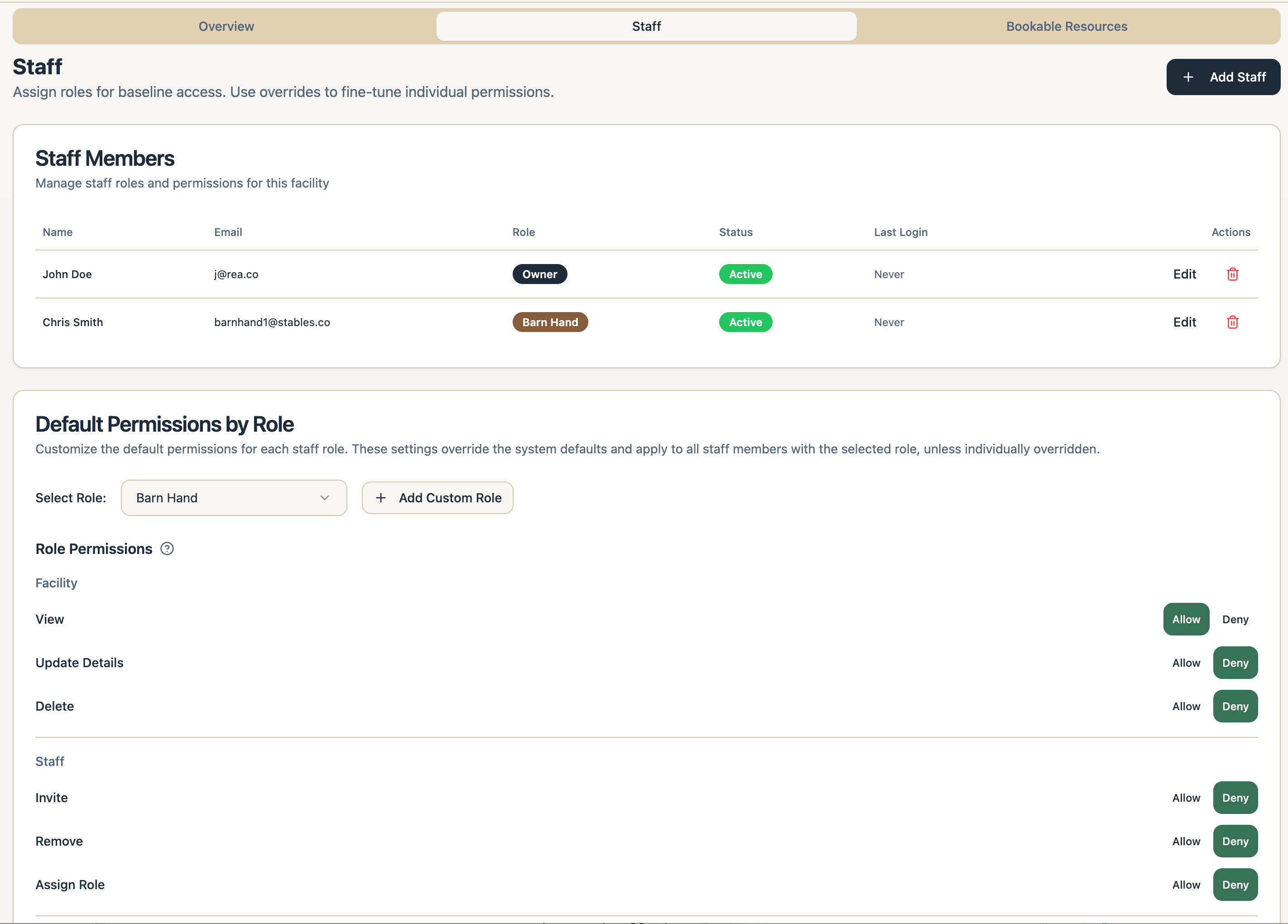
Facility staff are managed in Settings → Facility Details → Staff. The model is simple: a role sets baseline access, and per-person overrides fine-tune it. (This is different from the coach Team feature, which manages athletes - see Setting up your team.)
Roles
- Barn Hand - view only access.
- Trainer - view access plus training features.
- Riding Instructor - view access plus lesson features.
- Facility Manager - full management access.
- Facility Owner - full admin access.
You can also create custom roles; they start from Barn Hand’s baseline and you adjust from there.
Inviting and managing staff
- Select Add Staff, enter their name and email, and pick a role. Adjust individual permissions if the role defaults aren’t quite right.
- They accept by email and appear as Invited until they do; their permissions apply automatically when they join.
- Later, Edit a staff member to change their role or overrides, Deactivate them to suspend access, or Remove them permanently.
How overrides work
Permissions cover every area of the dashboard - horses, stalls, care, calendar, messaging, documents, customers, billing, payouts, and more. Each permission can be Inherit (follow the role), Allow, or Deny - and Deny always beats Allow. Sensitive areas like payout banks, billing settings, and security deposits have their own switches, so you can give day-to-day access without financial access.