Tracking signature status
Follow every signature request from Sent to Completed, send reminders, and download signed documents.
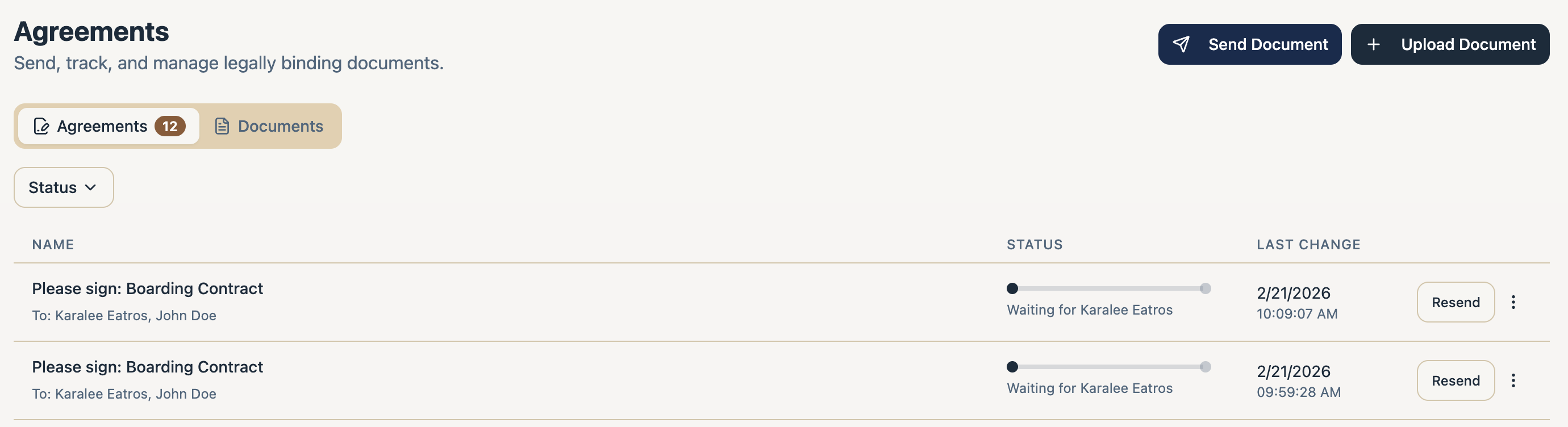
Everything you’ve sent is tracked in the Agreements tab. Each request shows its status - Sent, Pending, Viewed, Signed, Completed, Declined, Voided, or Expired - along with per-recipient progress like “1 of 2 signed.” You can filter by All, In Progress, Completed, Voided, or Declined.
Per-document actions
- Resend the request, or copy the signing link to share directly.
- Send Reminder to nudge a recipient (available from the client’s Documents section).
- Correct a document that went out with a mistake - it’s re-sent as a correction.
- Void to cancel an outstanding request, or Delete it.
A client’s own record shows the same information split into Pending Signatures and Signed Documents, where signed documents can be viewed and downloaded, with signed date and validity.