Assigning and marking care complete
Assign care to staff or providers, complete items with notes and photos, and control owner notifications.
Assigning
Care can be assigned to a facility staff member or a service provider, chosen when the event is created or edited. The queue filters by assignee, and unassigned work is easy to find with the Unassigned filter.
Marking complete
- Select the circle on a care card (it becomes a green check when done).
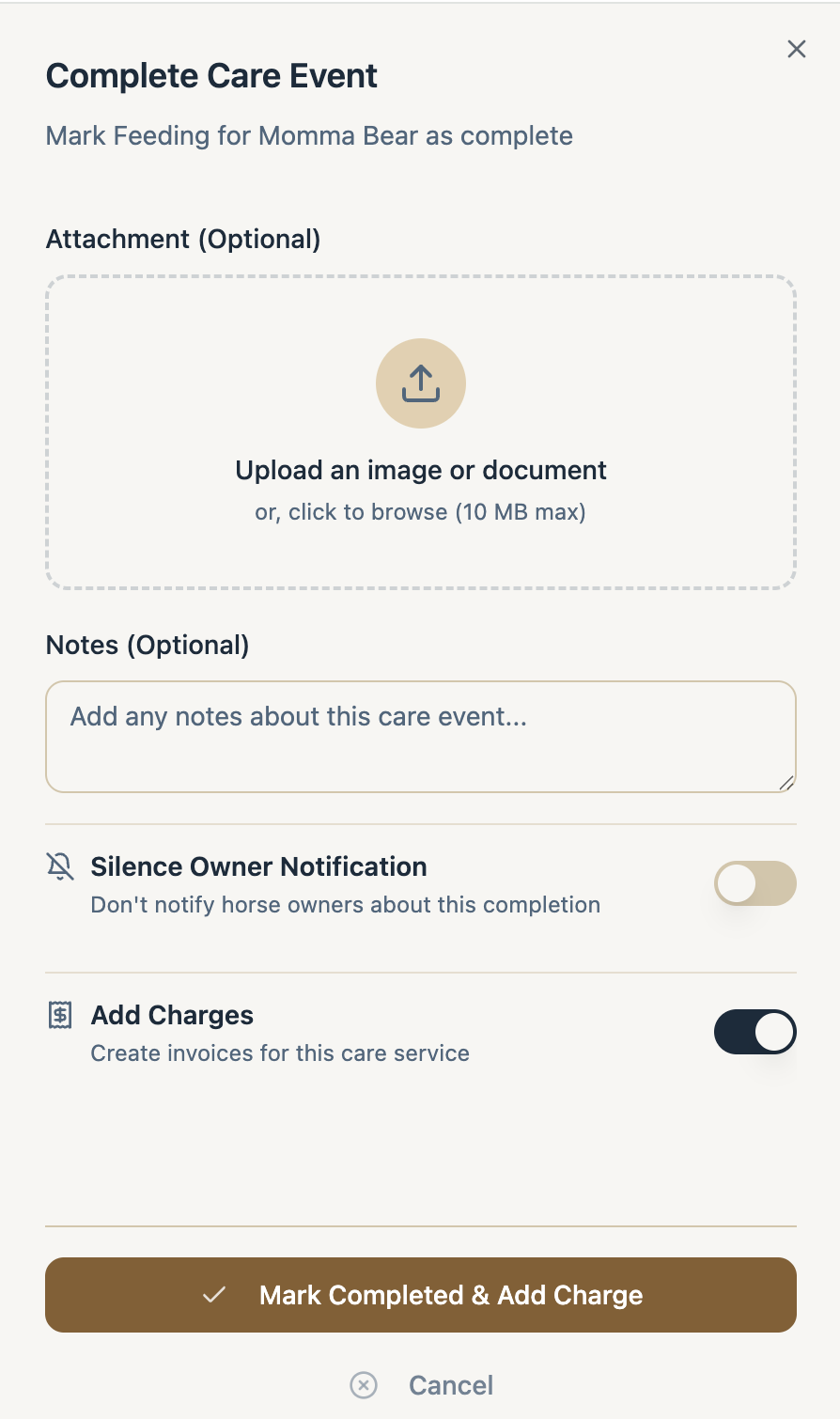
- In the Complete Care Event dialog, optionally attach a photo or file (up to 10 MB) and add notes.
- Choose your options: Silence Owner Notification if the owner shouldn’t be notified of this completion, or Add Charges to bill for the service.
- Select Mark Complete (or Mark Completed & Add Charge).
Completed items move to the Completed column. Owners are notified when facility care for their horse is completed, unless the notification was silenced. You can also select several items and complete them in bulk.