
Choosing an Owner Portal for Your Boarding Barn: 8 Things to Evaluate Before You Buy
Choosing an owner portal for your boarding barn should do more than give clients a login. The right portal connects horse care records, billing, and payments so you collect faster and reduce admin back-and-forth. This barn management software buying guide covers the 8 criteria that determine whether a portal actually improves your operation.
By Stables Team
Why Your Boarding Barn Needs More Than a Communication App
Many horse boarding facilities start with a group chat or a shared spreadsheet. A message thread tells horse owners when farrier visits are scheduled. A spreadsheet tracks monthly board payments. Maybe there is a separate app for care logs.
The problem is not that any single tool fails. The problem is that when care lives in one place, billing lives in another, and payments arrive through a third channel, you spend hours per week reconciling data, chasing invoices, and answering questions that the horse owner already has somewhere in their records.
An owner portal changes this by giving horse owners a single window into everything relevant to their animal and their account. When it works well, it reduces the calls about payment status, eliminates emails asking for farrier notes, and gives barn managers something they rarely get: time back.
But not every portal delivers on that promise. Some are communication tools dressed up as platforms. Others are billing-first but leave care tracking as an afterthought. Knowing your facility's needs before you start evaluating portals will save you from signing a contract for the wrong product.
8 Things to Evaluate When Choosing an Owner Portal for Your Boarding Barn
1. Real-Time Horse Care Visibility
The core of any meaningful owner portal is horse care data. Horse owners want to know their animal is being seen, fed, and monitored. A portal that shows a daily-updated care log gives horse owners confidence in your facility, reduces check-in calls, and creates a documented record that protects you if a dispute arises.
Look for care log updates per day per horse, feeding and medication tracking, and the ability for staff to log observations without leaving the barn floor. If the barn horse care log is not the first thing a horse owner sees when they log in, reconsider the design.
2. Monthly Board Billing Transparency
Horse owners renew when they trust where their money is going. A portal that shows a clear monthly board statement, with itemized add-on charges, reduces payment friction and billing disputes.
Evaluate whether owners can see their invoice before it is due and whether they can view a breakdown of every charge beyond monthly board, such as blanketing, grain, supplements, or extra grooming.
3. Online Payment and Autopay
If an owner portal does not collect money, it is a communication tool with a login page. The best portals allow horse owners to pay invoices directly through the platform and to enroll in autopay so recurring monthly board charges collect without staff intervention.
When evaluating, confirm the payment rails (ACH, card, or both), confirm any per-transaction fees, and confirm whether autopay re-runs failed payments automatically or requires manual follow-up.
4. Add-On Charge Capture
Revenue leakage in horse boarding comes from add-on services that get delivered but never billed. A farrier visits. A horse gets an extra bag of feed. Blanketing is added mid-month. Without a system that captures these charges and attaches them to the right horse owner's account, that revenue disappears.
A strong portal connects staff-level charge capture to owner-facing billing, so the moment a service is logged, it appears on the invoice. Look for this connection explicitly, not just the ability to enter manual charges.
5. Staff-to-Owner Communication Inside the Platform
Barn managers spend hours per week answering individual texts about grain changes, vet visits, and upcoming events. A portal that includes in-platform messaging, announcements, or care-linked notifications reduces this friction.
Look for broadcast messaging for facility-wide updates, individual horse-linked notifications, and a searchable message history. When a horse owner can see that a vet visit was logged inside their portal, they do not need to call.
6. Mobile-First Access
Horse owners are rarely at a desk when they want to check on their animal. A portal that works on mobile, with fast load times and simple navigation, gets used. One that only functions well on desktop gets abandoned.
Test the demo on a phone before signing any contract. If the care log takes more than three seconds to load or the payment button is hard to find, that is exactly what your clients will experience.
7. Document and Record Storage
Vet reports, Coggins tests, vaccination records, boarding contracts: a portal that stores these documents and ties them to individual horse owner accounts removes one more reason for horse owners to call you.
It also protects you. When a horse owner disputes a charge or a contract term, you want those documents accessible in the same system, not buried in an email thread from two years ago.
8. Integration with Your Barn Management Workflow
An owner portal that sits outside your barn management workflow creates double data entry. You log a vet visit in the portal and again in your scheduling tool. You record a payment in the portal and again in your accounting file.
The best portals are the client-facing layer of a connected care-to-cash platform, where data entered once flows through to invoicing, communications, and records automatically. Ask during every demo: if I log a care event on the staff side, does it appear in the horse owner's portal without a second entry?
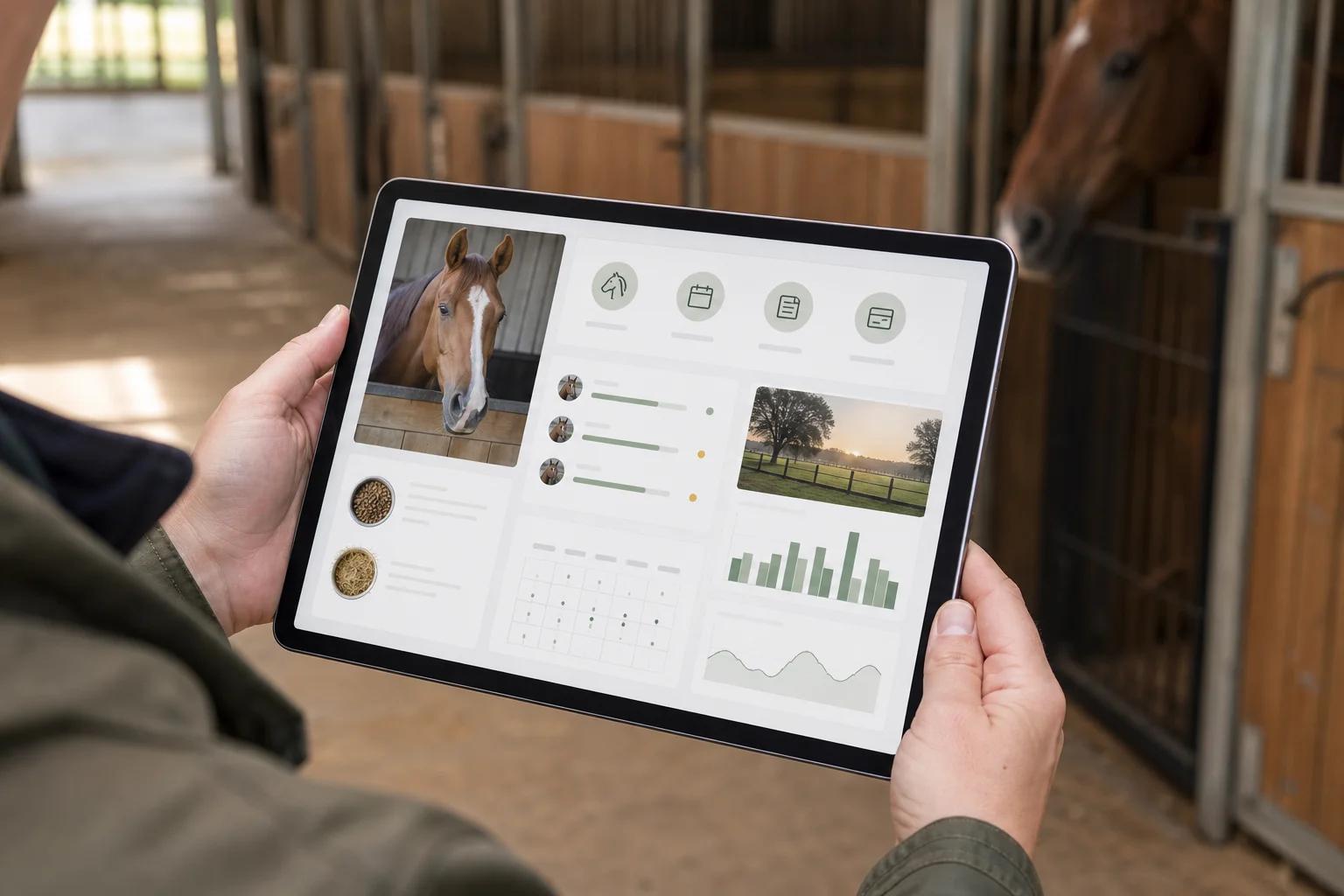
!Barn manager reviewing horse boarding records and owner portal dashboard on a tablet inside a stable
Red Flags to Watch For During the Demo
Before choosing an owner portal for your boarding barn, watch for these warning signs during the sales process.
Vague answers about payment processing fees. Any portal that cannot clearly state its transaction fees in writing will surface those fees in your first billing cycle.
No care-to-billing connection. If the sales rep cannot show you how a logged care event or add-on charge flows to an owner invoice, that workflow does not exist.
Roadmap answers for basic features. If monthly board autopay, mobile access, or document storage is "coming soon," those features are not available to your boarding barns right now. Evaluate what exists today, not what is planned.
Clunky staff interface. A portal your staff cannot use quickly will not get used. If it takes more than two clicks for a staff member to log a daily horse care note, you will have incomplete records and frustrated employees.
No written pricing. Ask for a quote that includes all per-user, per-horse, and per-transaction fees. Hidden fees erode the value of even a well-designed stable management tool.
What a Care-to-Cash Platform Does Differently
The framing of this guide assumes you are evaluating standalone owner portal tools. But the more efficient path for most boarding barns is to choose a platform where the owner portal is not a separate product.
Stables is built as a care-to-cash platform for boarding barns, where horse care logs, add-on charge capture, monthly board billing, and owner-facing visibility live in one connected workflow. When a staff member logs a care event, the charge can attach to that horse owner's account in the same action. When monthly board invoices generate, they include every logged add-on without manual reconciliation.
This is the structural difference between a standalone portal and one that is part of a complete equestrian operating system. One is a communication layer. The other is connected to every revenue and care action happening in your barn each day. Whether Stables is a good fit for your facility depends on your volume and workflow, but the framework above applies no matter which platform you evaluate.
Frequently Asked Questions
What is an owner portal for a boarding barn?
A boarding barn owner portal is a login-based tool that gives horse owners visibility into their horse's care records, billing statements, and invoices. The best portals connect directly to your care and billing systems so horse owners see accurate, real-time data without staff manually updating a separate client interface.
How much should I expect to pay for a boarding barn owner portal?
Pricing varies widely. Standalone portals range from free tools with limited features to subscription platforms that charge per horse or per user. Factor in payment processing fees, because a low monthly subscription with high per-transaction fees can cost more than a higher-priced platform with competitive payment rails.
Do horse owners actually use owner portals?
Adoption depends on mobile usability and what data lives in the portal. If horse owners can see care notes, pay invoices, and message staff from a single mobile screen, usage tends to be high. If the portal requires desktop access or only shows billing data, many owners default back to texting the barn manager directly.
Can an owner portal reduce missed charges at my boarding barn?
Yes, when the portal connects to your barn's care and add-on tracking. The connection between staff-level charge logging and owner-facing invoicing is what closes the gap on missed revenue. A portal that only displays invoices you manually create will not prevent missed charges on its own.
Is a standalone owner portal the same as barn management software?
Not always. Some barn management software includes an owner portal as a built-in feature. Others are management-only tools with no client-facing layer. When comparing options, confirm whether the owner portal is included, whether it costs extra, and whether it connects to your billing and care data or requires separate maintenance.
See How Much Revenue Your Boarding Barn Is Leaving on the Table
If you are building an evaluation shortlist for an owner portal, anchor every demo on one question: does this portal connect to my care and billing workflow, or is it one more tool to maintain separately? Use the barn profit calculator to model how much missed revenue your current patchwork setup is costing, then evaluate whether the right portal closes that gap.