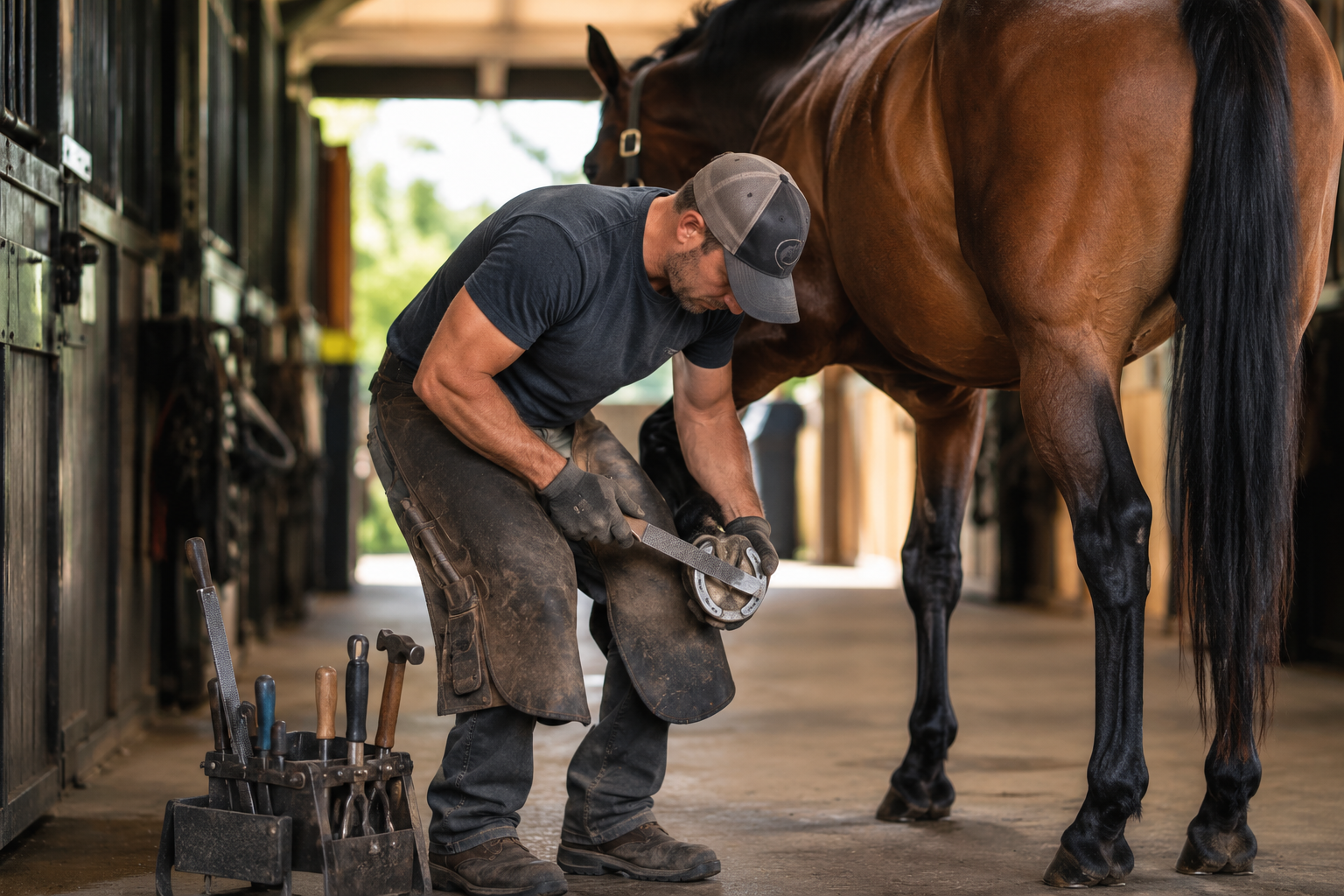
Best Farrier Management Software: What Farriers Should Look For
The best farrier management software should do more than keep a calendar organized.
A farrier business has to manage appointments, barns, horse owners, horses, service notes, recurring visits, invoices, payments, reminders, and communication. If those workflows live across text messages, notebooks, spreadsheets, payment apps, and memory, the business becomes harder to manage as it grows.
A horse gets trimmed, but the note is written somewhere else. A client says they will pay later, but the payment is not tracked against an invoice. A barn visit includes multiple horses, but each owner may need a separate charge. A horse needs a follow-up appointment, but the reminder depends on memory. Over time, those small gaps create missed revenue, delayed payments, and unnecessary admin work.
Farriers do not just need scheduling software. They need a system that connects the full service workflow: schedule the appointment, complete the work, record the horse-level service history, invoice the right client, collect payment, and keep communication organized.
That is the service-to-cash version of the broader care-to-cash workflow Stables is built around for modern equestrian businesses.
What Is Farrier Management Software?
Farrier management software is a digital system that helps farriers manage the operational and financial side of their hoof care business.
Depending on the farrier, this may include:
- Appointment scheduling
- Client records
- Horse records
- Barn or facility relationships
- Service history
- Trim and shoeing notes
- Recurring appointment reminders
- Invoices
- Online payments
- Payment status tracking
- Client communication
- Follow-up notes
- Business reporting
A basic calendar can show where you need to be. But a farrier business usually needs more than a calendar.
The right system should help you understand who the client is, which horses are being serviced, what work was completed, what should be billed, what has been paid, and what needs to happen next.
For farriers who want a broader platform built for equestrian professionals, Stables has dedicated workflows for service providers and a specific page for farriers.
Farrier Software vs. General Equestrian Management Software
Farrier software is a specific type of equestrian management software.
A boarding facility needs stall management, recurring board billing, care tasks, owner portals, and facility communication. A riding school needs lesson scheduling, rider records, packages, waivers, and payment tracking. A farrier needs appointment management, horse-level service records, client communication, invoicing, and payment collection.
That means farrier management software should be evaluated through the lens of the service provider workflow.
The key question is:
Can the software help you schedule work, complete the service, invoice the right person, collect payment, and keep the horse record updated?
That is where Stables’ service-to-cash positioning matters. Farriers are not just managing appointments. They are managing billable work tied to individual horses, owners, barns, and recurring service relationships.
Why Farriers Need Better Software
Farriers often manage a high-volume, relationship-heavy business.
A single day may include:
- Multiple barns
- Multiple horse owners
- Multiple horses per location
- Different service types
- Different pricing
- Notes by horse
- Follow-up intervals
- Payment collection
- Client reminders
- Special instructions
When those details are spread across different systems, the business depends heavily on memory.
That creates problems.
A client forgets to pay. A horse is due again in six weeks, but the reminder is not created. A barn visit includes horses owned by different people, but billing gets messy. A horse has a recurring hoof issue, but the notes are not easy to find. A farrier completes the work, then spends the evening catching up on invoices.
The best farrier management software reduces that friction.
It should make the business easier to operate before, during, and after the appointment.
The Service-to-Cash Workflow for Farriers
For farriers, the most important workflow is not just scheduling. It is service-to-cash.
A strong service-to-cash workflow should help you:
- Schedule the appointment
- Attach the correct client, barn, and horse
- Record the service performed
- Add notes, photos, or follow-up details when needed
- Decide whether the service is billable
- Create an invoice or add the service to a billing cycle
- Send the invoice to the right person
- Collect payment
- Keep the horse-level service history updated
- Schedule or remind for the next visit
This is where many generic tools fall short.
A calendar can show when the appointment happened, but it does not always know what service was performed, who should pay, whether the invoice was sent, or whether the horse needs a follow-up.
A payment app can collect money, but it does not create a structured service record.
A notebook can store notes, but it cannot automatically connect those notes to invoices, client history, or payment status.
Farrier management software should connect those pieces.
Key Features to Look for in Farrier Management Software
1. Appointment Scheduling
Scheduling is still the foundation of a farrier business.
Look for software that supports:
- One-time appointments
- Recurring appointments
- Barn visits
- Horse-specific appointments
- Client assignment
- Appointment reminders
- Appointment status
- Mobile access
- Notes attached to appointments
Farriers need a schedule that reflects the way the work actually happens. A single barn visit may include several horses, multiple owners, and different service types.
The software should make that structure easy to manage.
2. Client and Barn Management
A farrier’s customer relationships can be more complex than they appear.
Sometimes the client is the horse owner. Sometimes the barn manager coordinates the appointment. Sometimes a boarding facility pays the farrier and rebills the owner. Sometimes a trainer manages the relationship but the owner pays.
Good farrier management software should support:
- Client profiles
- Barn or facility profiles
- Horse owner relationships
- Billing contacts
- Phone and email records
- Communication preferences
- Service history by client
- Payment history
- Notes by client or barn
This matters because farriers do not only manage horses. They manage relationships between horses, owners, facilities, and sometimes trainers or managers.
Stables is designed around those relationships across boarding facilities, horse owners, and equestrian service providers.
3. Horse-Level Service Records
Farrier work is horse-specific.
Each horse may have different hoof care needs, service intervals, shoeing details, soundness concerns, and follow-up notes.
Look for software that can track:
- Horse profile
- Owner or client relationship
- Service history
- Trim history
- Shoeing history
- Notes by visit
- Follow-up recommendations
- Photos
- Recurring care intervals
- Related health or care records
This is where farrier management software overlaps with horse health record keeping. A useful system should not only say that a visit happened. It should preserve the horse-specific record in a way that can be referenced later.
For farriers who work with boarding barns, this can also create better visibility for facility managers and owners.
4. Invoicing
Farrier invoicing should be simple, fast, and connected to the service that was completed.
Look for software that supports:
- One-time invoices
- Multi-horse invoices
- Separate invoices by owner
- Draft invoices
- Service line items
- Payment status
- Invoice history
- Outstanding balances
- Receipts
- Adjustments
The strongest system should make it easy to invoice after the work is done. If a farrier completes a trim, reset, full set, or specialty service, that service should be easy to turn into a charge.
A farrier should not need to reconstruct invoices at the end of the day from memory.
That is the same core problem Stables addresses in boarding workflows like automated horse boarding invoices: work gets done, and the system should make billing easier to complete accurately.
5. Online Payments
Invoices matter, but payment collection is where the business actually gets paid.
Good farrier software should support:
- Online payments
- Card payments
- ACH payments
- Saved payment methods
- Payment receipts
- Payment status tracking
- Failed payment visibility
- Overdue balance tracking
Farriers often lose time chasing payments after the work is complete. A stronger system should make it easy for clients to pay and easy for the farrier to see who still owes money.
For farriers who work with facilities, this becomes even more important. One barn visit may involve several owners, multiple horses, and different payment relationships.
The goal is not just to send invoices. The goal is to collect with less manual follow-up.
6. Reminders and Follow-Ups
Farrier work is often recurring.
A horse may need to be seen every four, five, six, or eight weeks. Some horses require more frequent attention. Others need follow-up because of a specific hoof issue.
Software should help track:
- Next recommended visit
- Follow-up reminders
- Recurring appointment cadence
- Client notifications
- Horse-specific follow-up notes
- Service intervals
- Missed appointment history
This is especially useful for keeping clients on schedule and avoiding last-minute coordination.
The best farrier management software should help keep the business proactive, not reactive.
7. Communication
Farrier communication often happens through texts. That is convenient, but it can become hard to manage.
Clients ask:
- When are you coming next?
- What did you do today?
- How much do I owe?
- Can you send the invoice again?
- Does my horse need shoes next time?
- When should we schedule the next visit?
- Did you notice anything unusual?
Good software should help organize communication around the client, horse, appointment, and invoice.
Look for:
- Appointment reminders
- Invoice notifications
- Payment receipts
- Client notes
- Horse-specific notes
- Follow-up messages
- Owner or facility visibility where appropriate
For horse owners, visibility matters. Stables’ horse owner experience is built around giving owners access to relevant care, billing, document, and payment information.
8. Mobile Usability
Farriers work from barns, aisles, trailers, arenas, and client facilities. Software that only works well at a desk will not get used consistently.
Mobile usability matters.
Evaluate whether the system lets you:
- View the day’s appointments
- Open a client or horse record
- Add service notes
- Create an invoice
- Check payment status
- Send a reminder
- Access contact details
- Update appointment status
A native app can be useful, but what matters most is whether the experience is fast, clear, and reliable from a phone.
9. Business Reporting
Farriers should be able to see more than the next appointment.
Look for reporting that helps answer:
- Which invoices are unpaid?
- Which clients are overdue?
- How much revenue was billed this month?
- Which services are most common?
- Which horses are due soon?
- Which clients or barns generate the most revenue?
- How much work has been completed but not yet paid?
This is where farrier management software becomes a business tool, not just an appointment tracker.
For Stables, this connects to the broader features and care-to-cash operating system approach.
What Different Farriers Should Prioritize
Solo Farriers
Solo farriers should prioritize:
- Simple appointment scheduling
- Fast invoicing
- Online payments
- Horse-level service notes
- Client reminders
- Mobile access
- Payment status tracking
The key question:
Can the software reduce admin without slowing down the workday?
Farriers Serving Boarding Barns
Farriers who work with boarding barns should prioritize:
- Barn-level appointment organization
- Horse-level service history
- Owner and facility relationships
- Separate billing contacts
- Multi-horse service records
- Facility communication
- Owner visibility where appropriate
The key question:
Can the software handle the reality that the barn, owner, horse, and payer may not all be the same person?
This is where connected relationships across facilities, owners, and service providers matter.
Farriers With Recurring Client Books
Farriers with recurring schedules should prioritize:
- Recurring appointment reminders
- Next-visit tracking
- Horse-specific follow-up notes
- Client communication
- Service interval visibility
- Payment history
The key question:
Can the software help keep recurring hoof care organized without relying on memory?
Farriers Working With Trainers and Coaches
Farriers who work closely with trainers and coaches should prioritize:
- Horse-level notes
- Client and trainer communication
- Facility relationships
- Appointment history
- Service history
- Billing flexibility
Trainers and coaches often sit between the horse owner and the service provider. Stables supports equine coaches as part of the broader equestrian operating system, which helps connect the people involved in horse care and billing.
Why Generic Software Falls Short for Farriers
Many farriers use a mix of tools:
- Phone calendar
- Text messages
- Notes app
- Paper notebook
- Spreadsheet
- Payment app
- Accounting software
- Memory
Those tools can work for a small book of business, but they do not create a connected workflow.
A calendar does not know whether an invoice was paid.
A payment app does not know which horse the payment belongs to.
A notebook does not send reminders.
A spreadsheet does not preserve a structured service history.
A text thread does not create a reliable business record.
Farriers need software that reflects how the business actually works: client, barn, horse, appointment, service, invoice, payment, and follow-up.
How to Choose the Best Farrier Management Software
Before choosing farrier software, map your actual workflow.
1. Define Your Business Model
Ask:
- Do you mostly serve individual horse owners?
- Do you mostly serve boarding barns?
- Do you work with trainers or coaches?
- Do you handle multiple horses at the same location?
- Do you invoice owners, barns, or both?
- Do you need recurring visit reminders?
- Do you need horse-level service history?
The best software depends on how your farrier business actually operates.
2. Map the Appointment-to-Payment Workflow
Write down how work currently moves through your business:
- How is the appointment created?
- Who confirms it?
- Which horses are included?
- Who owns each horse?
- Who pays?
- How are notes recorded?
- How is the invoice created?
- How is payment collected?
- How is the next visit scheduled?
The software should improve that workflow, not just digitize the same disconnected process.
3. Prioritize Billing and Payments
For farriers, billing and payment collection are not side features. They are central to the business.
Ask:
- Can I create an invoice quickly after a service?
- Can I invoice the correct client?
- Can I handle multiple horses?
- Can clients pay online?
- Can I see unpaid invoices?
- Can I track payment history?
- Can the service record stay connected to the invoice?
If the answer is no, the software may organize the schedule without improving the business.
4. Review Horse-Level Recordkeeping
A farrier should be able to see the history of work performed on a horse.
Ask:
- Can I see prior services?
- Can I add notes by visit?
- Can I store photos?
- Can I track follow-up recommendations?
- Can I see the client and barn relationship?
- Can I access the record from my phone?
This is where software can create long-term value. It gives the farrier, owner, and facility a clearer view of the horse’s service history.
5. Test the Mobile Experience
Farrier software has to work while the farrier is actually working.
Ask:
- Can I open it quickly from my phone?
- Can I find the client and horse record?
- Can I add notes between appointments?
- Can I send an invoice from the barn?
- Can I check whether someone paid?
- Can I update appointment status?
If the system is hard to use in the field, it will not become part of the real workflow.
Common Mistakes Farriers Make When Choosing Software
Mistake 1: Choosing a Calendar Instead of a Business System
Scheduling matters, but a farrier business is not just a calendar.
If scheduling is not connected to clients, horses, invoices, payments, and reminders, the farrier still has to manage the business manually.
Mistake 2: Separating Service Notes From Billing
When service notes live in one place and billing happens somewhere else, details get missed.
A strong system should connect the service record to the billing workflow.
Mistake 3: Using Payment Apps Without Invoice Tracking
Payment apps can be convenient, but they do not always create clear invoice history, service history, or client-level payment records.
Farriers need to know not only that money came in, but what it was for.
Mistake 4: Ignoring Multi-Horse Barn Visits
Farrier work often happens at barns with multiple horses. The software should support that structure.
If it only works well for one client and one horse at a time, it may create problems as the business grows.
Mistake 5: Not Thinking About Owner and Facility Relationships
A farrier may coordinate with the barn but bill the owner. Or work through a trainer but communicate with the owner. Or invoice the facility for some services and the owner for others.
The software should support those relationship patterns clearly.
Where Stables Fits
Stables is built as a care-to-cash operating system for equestrian businesses.
For farriers, that means connecting scheduling, horse-level service history, invoicing, payments, client relationships, and follow-up communication.
For broader service providers, Stables supports appointment workflows, client records, invoices, online payments, and service history.
For boarding facilities, Stables helps manage stalls, recurring board billing, add-on charges, care tasks, owner portals, payments, agreements, and facility communication.
For horse owners, Stables gives owners clearer access to relevant invoices, payment history, care updates, documents, and communication.
The core idea is simple:
Your farrier business is already doing the work. Stables helps make sure that work is organized, recorded, billable when appropriate, and easier to collect.
That is the difference between basic appointment software and a connected service-to-cash workflow.
Best Farrier Management Software: Final Verdict
The best farrier management software is not just the tool with the cleanest calendar.
It is the system that connects the business behind the appointment.
A strong farrier platform should help you manage clients, barns, horses, appointments, service notes, invoices, online payments, reminders, and communication from one connected workflow.
For small farrier businesses, that may mean simple scheduling, invoicing, and payment tracking.
For farriers serving multiple barns, it means handling horse-level service history, owner and facility relationships, multi-horse visits, and billing flexibility.
For farriers working inside a broader equestrian ecosystem, it means connecting with facilities, owners, trainers, coaches, and service providers in one system.
The real value is not just better organization.
The real value is moving from disconnected admin to connected service-to-cash operations.
If your farrier business is ready to move beyond texts, notebooks, payment apps, and manual invoice tracking, Stables can help you connect scheduling, horse records, invoicing, payments, and client communication in one equestrian operating system.
FAQs About Farrier Management Software
What is farrier management software?
Farrier management software helps farriers manage appointments, clients, barns, horses, service notes, invoices, payments, reminders, and communication from one system.
What is the best farrier management software?
The best farrier management software depends on how your business operates. A solo farrier may need simple scheduling, invoicing, and payment tracking. A farrier serving boarding barns may need multi-horse records, facility relationships, owner billing, online payments, reminders, and horse-level service history.
What features should farrier software include?
Farrier software should include appointment scheduling, client management, horse records, service history, invoicing, online payments, reminders, communication tools, mobile access, and reporting.
Can farrier software help with invoicing?
Yes. Strong farrier invoicing software should help create invoices from completed services, track payment status, send receipts, manage outstanding balances, and connect invoices to the correct client, horse, and service.
Can farrier software track horse service history?
Yes. Good farrier management software should track horse-level service history, including trims, shoeing, resets, notes, follow-up recommendations, and related service records.
Is farrier management software different from barn management software?
Yes. Farrier management software focuses on service provider workflows such as appointments, horse-level service notes, invoices, payments, and follow-ups. Barn management software often focuses on stalls, board billing, care tasks, owner communication, and facility operations.
Does Stables support farriers?
Yes. Stables supports farriers through service provider workflows for scheduling, client relationships, horse-level records, invoices, online payments, and communication.